
GA4’s attribution is a black box: fixed definitions, precomputed numbers, no way in. The ga4_attribution module moves those decisions to you. What counts as a touchpoint, where a journey starts and ends, which events are conversions, how credit is split – all of it is defined in a config you own and built as tables in your own BigQuery project.
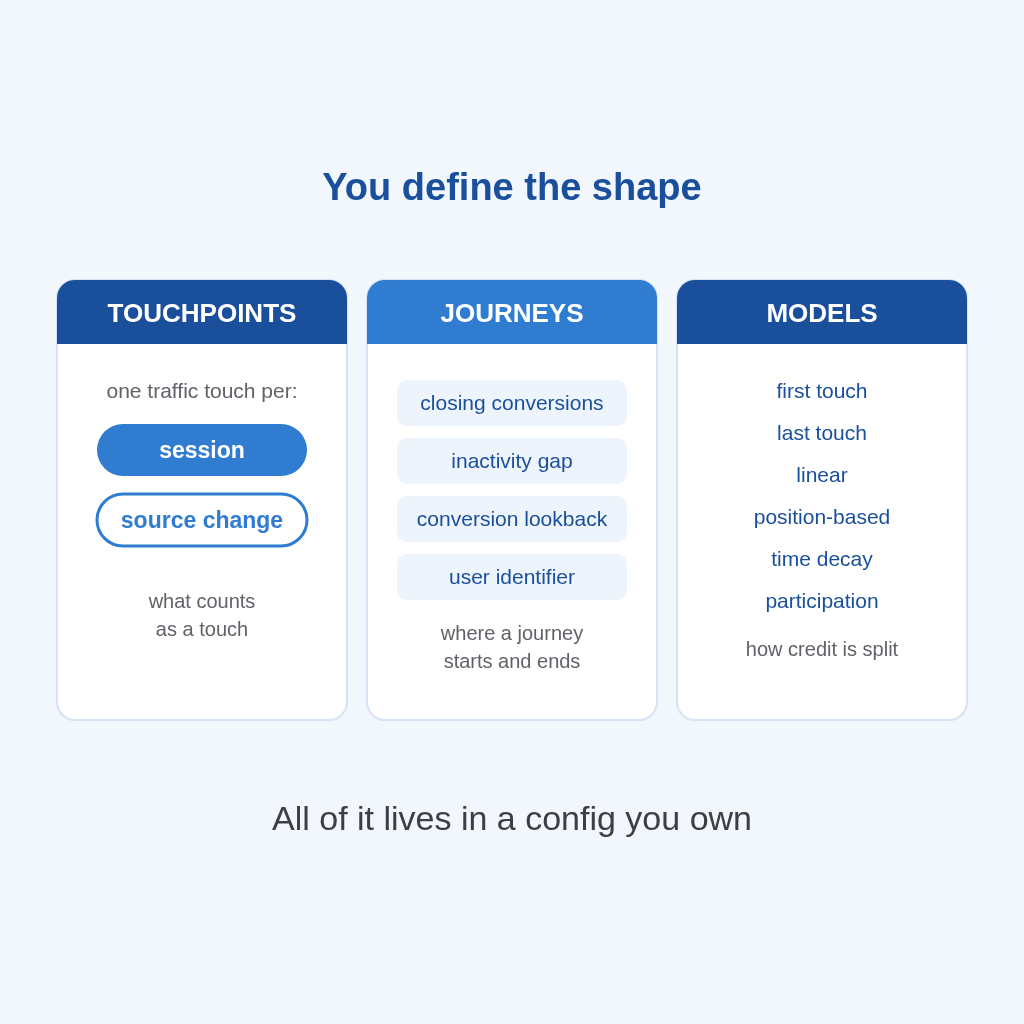
You decide the shape of the data. A touchpoint is one session, or one traffic-source change within a session – your call. A journey is bounded the way you define it: which conversions close it, how many days of inactivity split it, how far it looks back before a conversion, and which user identifier groups it. The module builds the tables; the definitions stay yours.
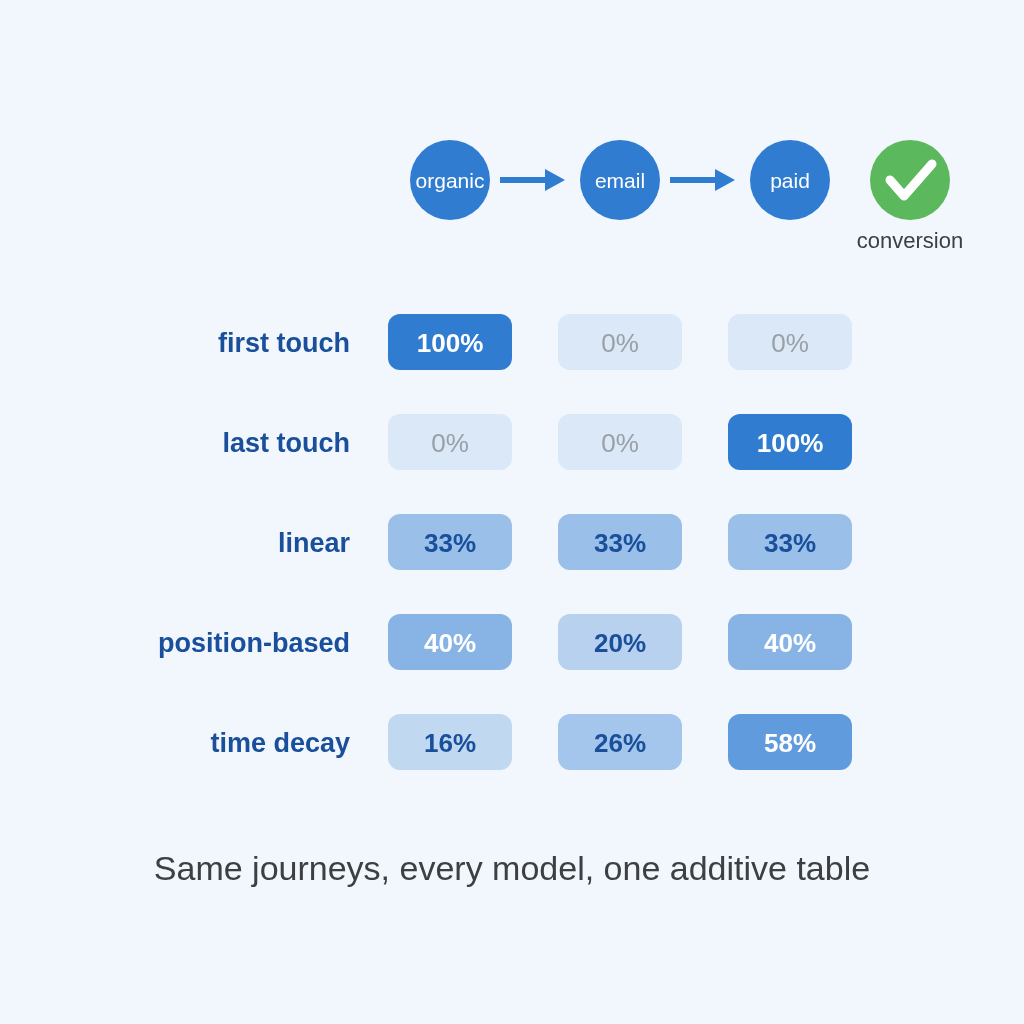
Every attribution model is wrong – each in a useful direction. First touch flatters acquisition, last touch flatters closing, linear flatters consistency. So the module does not ask you to pick a winner: it builds first-touch, last-touch, linear, position-based and time-decay on the same journeys, in one additive table. Read them together to see where each channel is stronger or weaker and where it tends to live in the journey – early, late, throughout – knowing that none of them is the full picture.
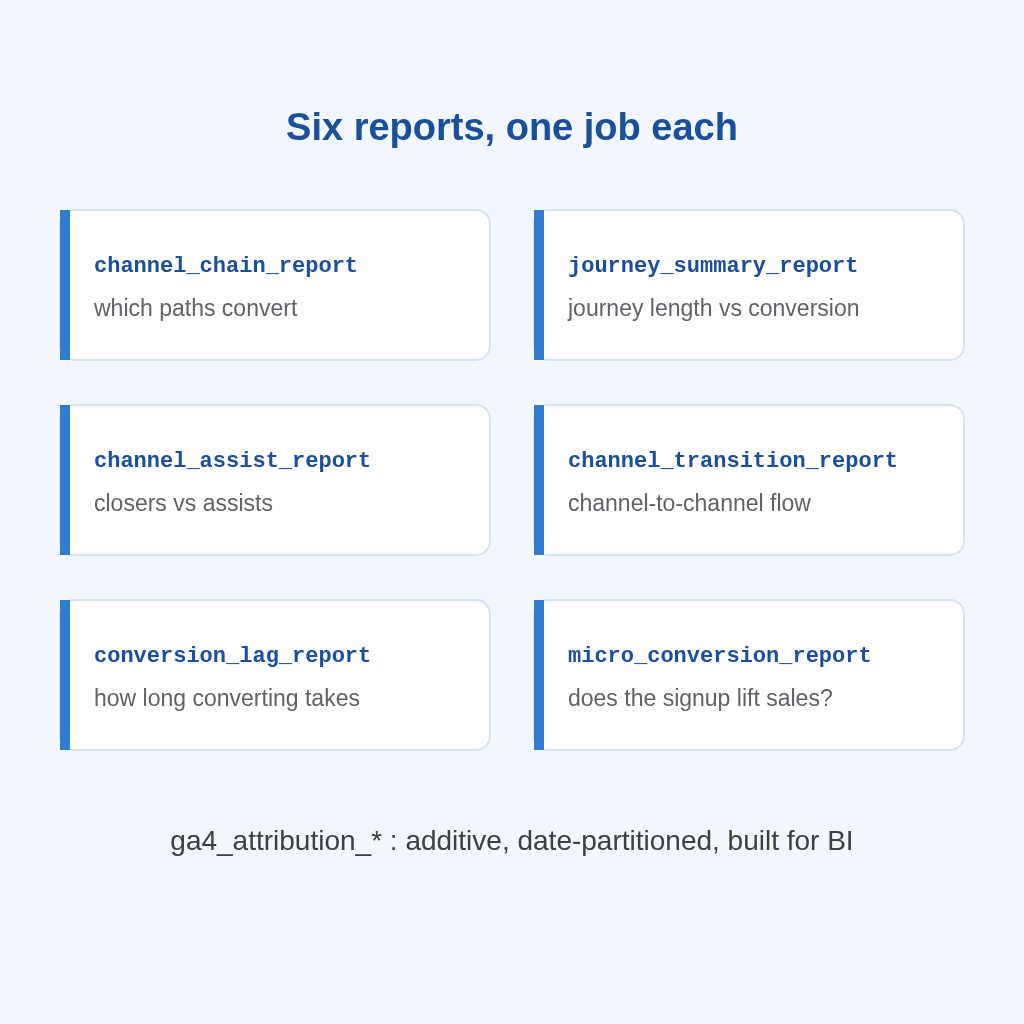
The module ships six reporting tables built for BI: channel chains, journey summaries, channel assists, channel transitions, conversion lag and micro-conversion lift – plus the journey and models tables they build on. Everything is additive and date-partitioned: counts and sums only, so every rate you derive stays correct at any grain, in any BI tool – Data Studio, Tableau, Power BI.
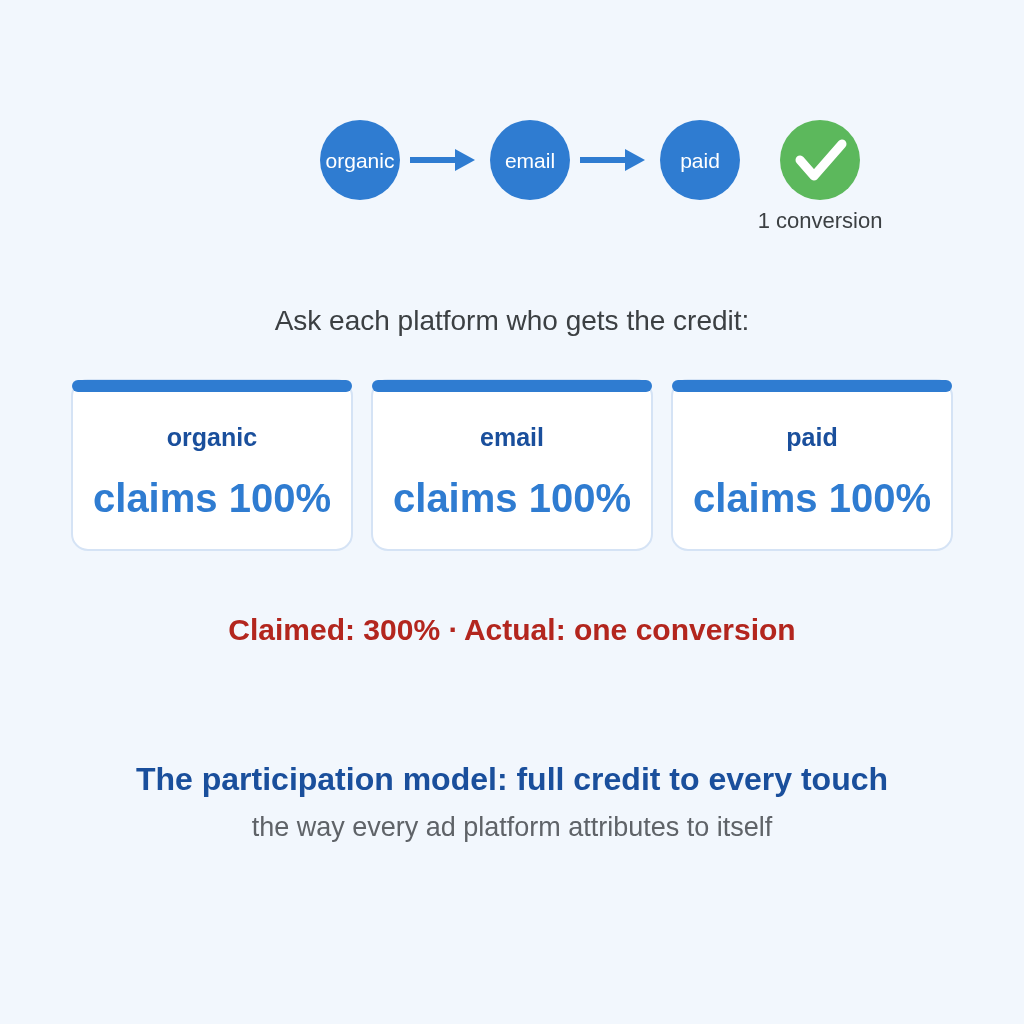
The opt-in participation model gives every touch full credit for the conversion – which is exactly how an ad platform attributes to itself. Run it next to the fractional models and you can see the gap between what each channel claims and what is left when credit has to sum to one. It overcounts by design; that is the point.
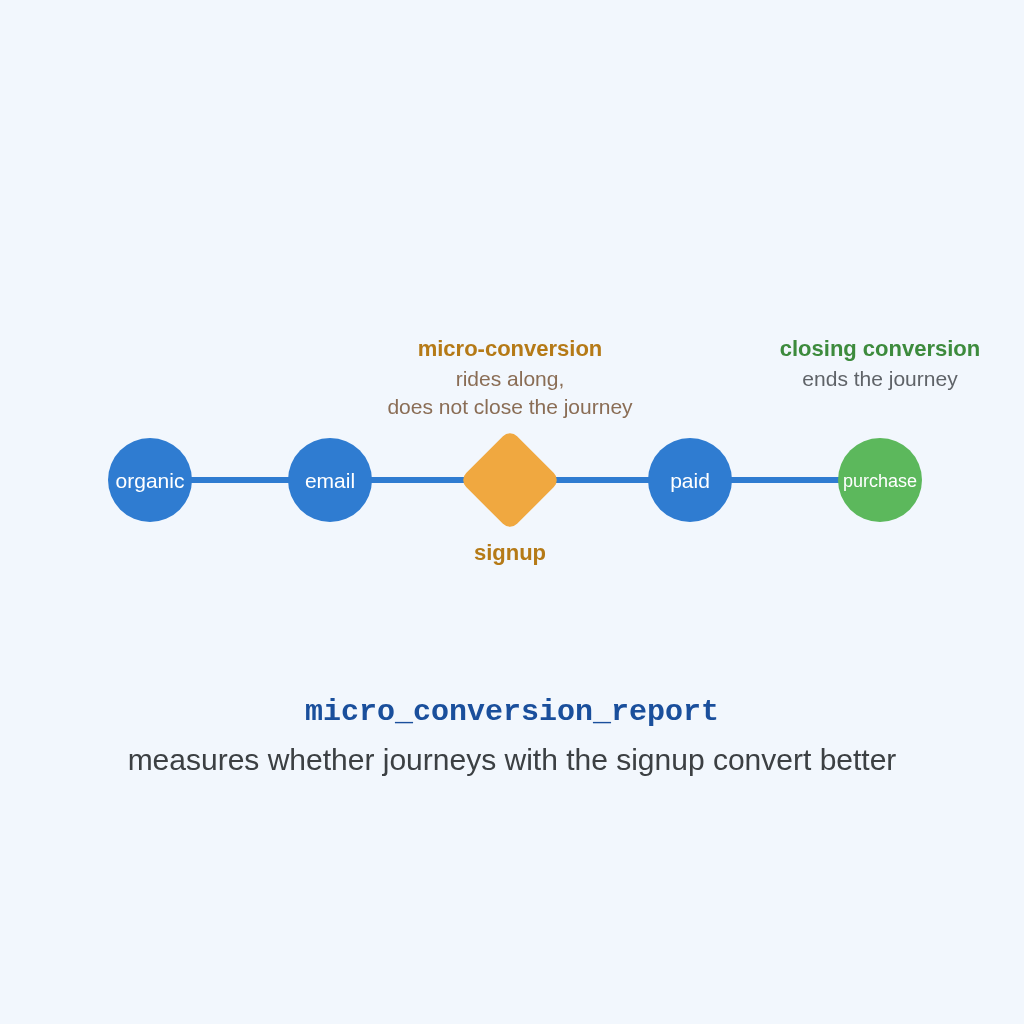
Any event can be a conversion, but only the ones you list actually close a journey. The rest are micro-conversions: signups, add-to-carts – they ride along inside the journey, and ga4_attribution_micro_conversion_report measures whether journeys containing them convert better than your baseline. The difference between counting signups and knowing if they lead anywhere.
If you are setting up attribution and something does not look right, talk to us and we will look at it with you. Premium support is humans who work in these tables every day.

A GA4Dataform Premium license and a GA4 BigQuery export. The attribution module comes with Premium – enable it in the config, define your conversions, and the tables build in your own project.
A four-stage pipeline in your project: a touchpoint stream (one row per touch), journeys that group a user’s touches within the boundaries you define, a models table that splits conversion credit, and six reporting tables ready for BI.
All of them. Every model is an opinion, wrong in its own useful way – first touch flatters acquisition, last touch flatters closing. The module builds them side by side on the same journeys, so you compare instead of committing to one.
Any event you configure – by event name, parameter filters, or open SQL. Only the conversions you list as closing conversions end a journey; the rest are micro-conversions, tracked inside journeys with their own lift report.
Yes – that is the point. Closing conversions, inactivity gap, pre-conversion lookback and user identifier are all configuration. Change the definitions and rebuild; the logic is config you own, not code you fork.
The UI hands you precomputed numbers from definitions you cannot see or change. This is ownership instead: your touchpoint definition, your journey boundaries, your models, materialized as tables in your own project that you can query, join and audit.