
News
1 year of GA4Dataform Premium? Win 1 year of GA4Dataform Premium!
GA4Dataform Premium was released exactly one year ago. To celebrate, we’re raffling off a 12-month 100% discounted license

GA4Dataform Premium was released exactly one year ago. To celebrate, we’re raffling off a 12-month 100% discounted license

A blind test of BigQuery’s two anomaly detection functions — ML.DETECT_ANOMALIES (ARIMA_PLUS) and AI.DETECT_ANOMALIES (TimesFM) — on a synthetic Black Friday weekend, across six configurations.

A user asked whether our pre_operations incrementality logic forces a full table scan on every run. Yes, it reads every partition. It still costs almost nothing. Here is the full walkthrough.
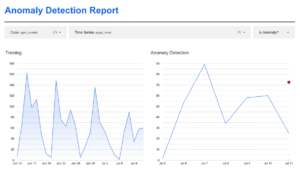
ARIMA_PLUS and ML.DETECT_ANOMALIES are built into BigQuery, so the setup is straightforward — the concepts underneath are not. The four ideas to understand before you turn anomaly detection on.
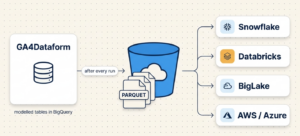
GA4Dataform Premium can now write your modelled tables to a Cloud Storage bucket as partitioned Parquet after every run – ready to query from Snowflake, Databricks or BigLake, or move on to any lakehouse. No extraction pipeline to hand-build. Here’s how it works and how to turn it on.

The reasons why we built the Google Ads module. With Webinar slides, some background on our approach, and a sample dashboard.

In this post, a simple query that answers: Which search terms predict a purchase, even when that purchase happens days later in a different session?
Try to find that via the GA4 interface…

You finally got your GA4 data in BigQuery. You write your first query. And then you meet UNNEST. If you’ve worked

Cart abandonment is one of those things everyone knows is a problem and nobody fully understands. The usual dashboard tells you the rate. It doesn’t tell you why.
This query gives you the top “last 3 pages before abandoning a cart” for extra insight

Here’s an article on the ga4_transactions table, with a query that solves an actual use case: which product categories make customers loyal?

GA4Dataform 2.1.1 release notes
We recently released new versions for GA4Dataform Premium, Core and Community which contain small additions and potential breaking changes – please look inside

You may have received a communication from Google regarding strict act-as mode enforcement in Dataform. Like some of our users,

Premium 2.0.4 is released! With Google Ads support, and more. Also: an update about our simpler (and cheaper!) pricing plans.

We, the founders of Superform Labs, created GA4Dataform to solve our own problem: setting up GA4 data projects in BigQuery
The GA4Dataform v18 announcement. Featuring update notes and the changes (mostly small fixes)

When you start modeling GA4 data in BigQuery with Dataform, one of the main challenges you’ll quickly encounter is monitoring

We created a Dashboard for the Diagnostics table that comes with your GA4Dataform install.
It can be used to quickly spot tracking errors in your data. Read all about it here.

We just released GA4Dataform Core version 16 – a version with some small changes to the default channel grouping logic, and a new channel: Organic AI
In this post, I’ll describe how to rebuild only a part of your models, namely the ga4_sessions table.

The Superform Labs team – creators of GA4Dataform – were all present last week at the very conference we first met: Superweek! Here’s what we learned
We’re thrilled to announce that we’ve made our GA4Dataform Core product open source, and published it on GitHub under the
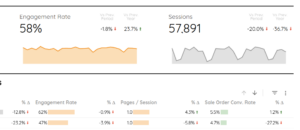
Our good friend (and now BFF) Mehdi Oudjida is a Looker Studio expert and created a Looker Studio Template for the Sessions demo table!
GA4Dataform v11 release notes.
Summary: we have a transactions table!
